如果你在找 m3u8 merger 工具,把分散的 TS 分片稳定合并成 MP4,最短路径是先确认播放列表有效,再按场景选择在线工具、FFmpeg 或桌面软件。本文直接给你可执行的对比表、3 种方法步骤、成功与失败信号,以及一份可落地的错误矩阵。你可以先花 1 分钟完成路线选择,再按对应方法操作。
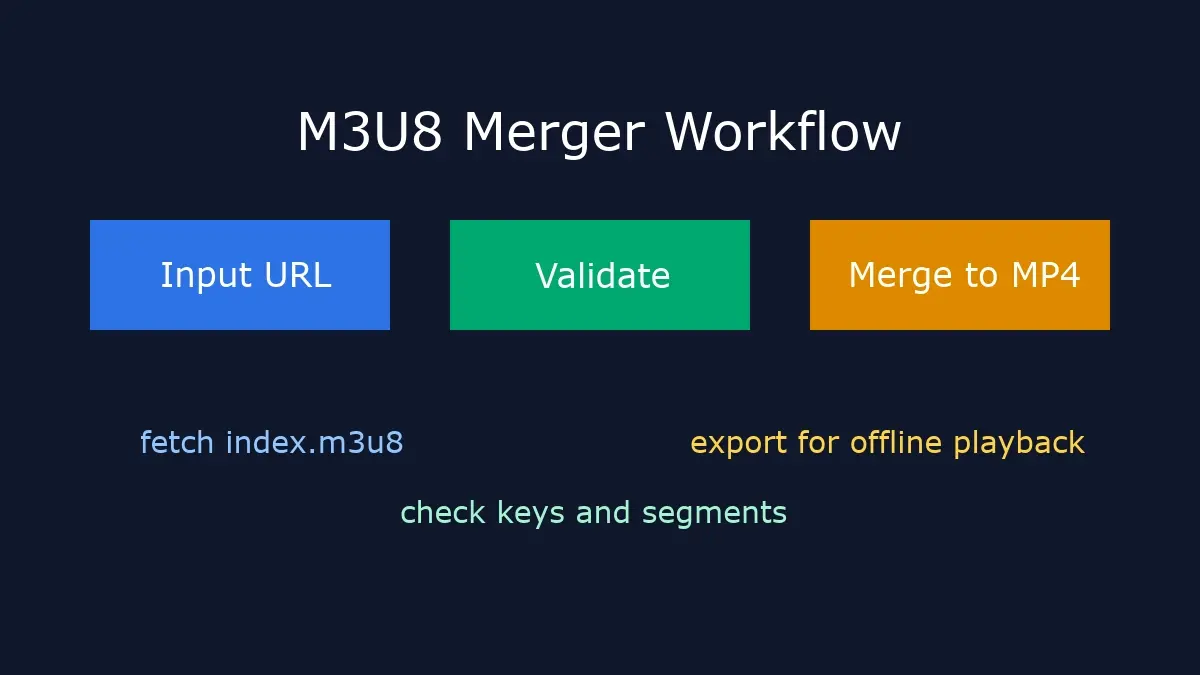
M3U8 Merger 方法对比(先选路线再动手)
多数失败并不是“工具不好用”,而是路线选错。下面这张表先帮你按场景分流。
| 你的场景 | 推荐方案 | 难度 | 成功率 | 何时切换 |
|---|---|---|---|---|
| 单个公开视频,已有 m3u8 链接 | 浏览器在线工具 | 低 | 高 | 遇到超大文件或频繁失败时切到 FFmpeg |
| 批量任务、定时下载、需要脚本 | FFmpeg 命令行 | 中 | 高 | 需要图形化时补充桌面软件 |
| 已经有本地 TS 分片文件 | 桌面软件或 FFmpeg concat | 中 | 中高 | 音视频不同步时改用重编码 |
| DRM 受保护内容 | 停止下载,改用官方授权离线 | 不适用 | 不适用 | 不要继续尝试绕过保护机制 |
方法 1:在线 M3U8 Merger(Easy)
🌐 浏览器直接合并 Easy
适合首次使用者和临时需求。你只需要合法可访问的 M3U8 链接,不必先手动下载大量 TS 文件。
- 打开 M3U8 Converter,粘贴播放列表链接。
- 输出格式先选 MP4,质量保持默认标准。
- 点击转换,观察下载与合并进度。
- 导出文件后先快速抽查:开头、快进、末尾是否正常。
成功信号: 进度稳定递增;导出后时长与原视频接近;拖动进度条不会明显卡顿。
失败信号: 长时间卡在 0%;报 `No M3U8 links found`;反复出现 403/404。
如果你还没拿到 m3u8 链接,先看 浏览器提取 M3U8 链接的 5 种方法。如果你想看更完整的在线路径对比,可以再读 Online M3U8 Downloader 实战指南。
方法 2:FFmpeg M3U8 合并(Medium)
⌨️ 命令行可控合并 Medium
当你要做批量任务、重试机制或自动化调度时,FFmpeg 是更稳的路线。
最常用的“直接合并不重编码”命令如下:
ffmpeg -allowed_extensions ALL -protocol_whitelist "file,http,https,tcp,tls,crypto" \
-i "https://example.com/index.m3u8" -c copy output.mp4
若输出异常或兼容性较差,再改用重编码:
ffmpeg -i "https://example.com/index.m3u8" -c:v libx264 -c:a aac -movflags faststart output.mp4成功信号: 控制台无连续报错;导出 MP4 可在手机与桌面播放器正常播放;音画同步。
失败信号: `Invalid data found`、`HTTP error 403`、音画错位或无音轨。
需要更细的参数解释和批处理写法,可继续阅读 FFmpeg M3U8 命令大全。
方法 3:桌面软件与本地 TS 清单(Advanced)
🧩 本地文件合并路径 Advanced
当你手里已经有完整 TS 分片,或者需要可视化检查时间线时,这条路线更实用。
- 先按时间顺序整理分片命名,避免 `1,10,2` 这类错序。
- 用 VLC、Shotcut 等工具快速预览是否缺片。
- 最终仍建议用 FFmpeg 做一次标准化输出,提升兼容性。
如果你现在就是“本地 TS 批量合并”场景,直接看 TS 文件合并为 MP4 的 3 种方法 会更快。
成功信号: 合并后无明显跳帧;关键转场位置连续;音频轨道完整。
失败信号: 部分片段黑屏;时长明显缩水;导出后播放器无法拖动。
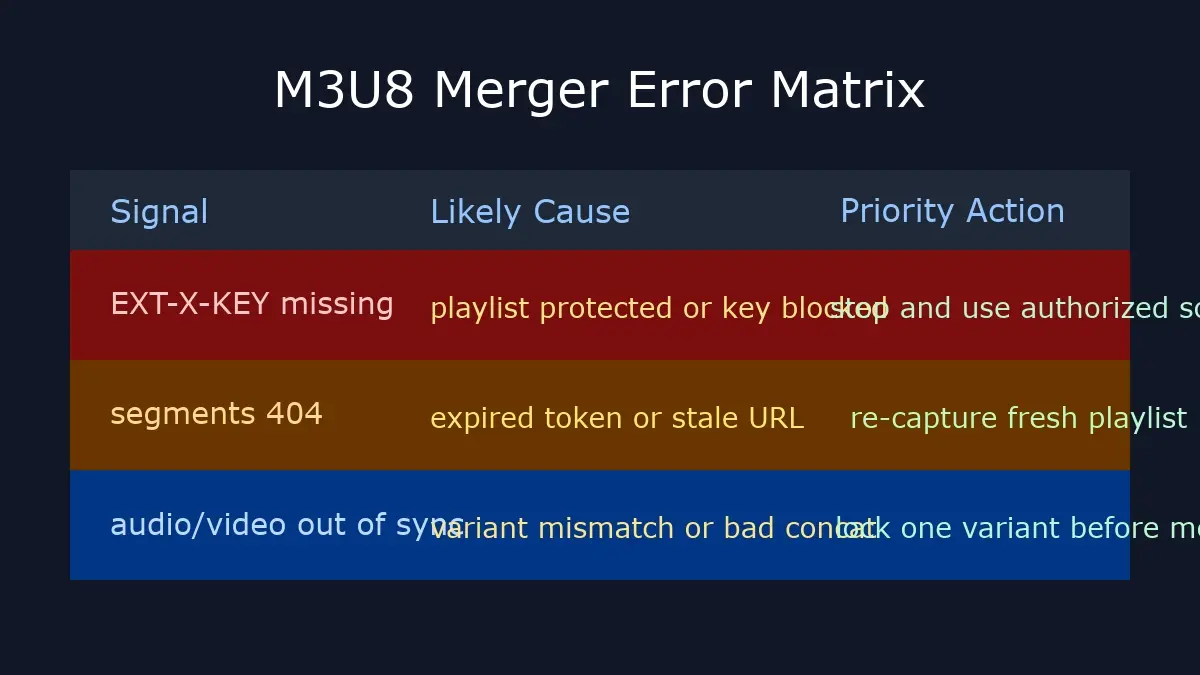
为什么这篇页面独特:M3U8 Merger 错误矩阵 + 预检清单
这不是泛泛教程,而是一份可直接照着执行的排查顺序。你可以先按错误矩阵定位,再回到对应方法复现。
| 报错信号 | 最可能原因 | 优先动作 |
|---|---|---|
| No M3U8 links found | 未触发真实播放请求,或抓包过滤条件不对 | 重新播放后抓包,筛选 `m3u8` 与 `index.m3u8` |
| HTTP 403 | Referer/Cookie/Token 失效 | 刷新源页后立即重试,减少链接暴露时间 |
| segments 404 | 分片地址过期或 playlist 版本变化 | 重新提取最新地址,不复用旧历史链接 |
| audio/video out of sync | 分辨率变体混用或封装异常 | 锁定同一变体并重新编码输出 |
合并前 6 项检查清单
- 播放列表是否仍可访问,是否返回 200 状态。
- 是否混用了不同清晰度或不同音轨的分片。
- 链接是否已过期(尤其带 token 的临时 URL)。
- 目标容器是否适配你的播放设备(优先 MP4/H.264/AAC)。
- 是否需要断点续跑与重试机制(批量任务必须考虑)。
- 结果是否做过抽样质检(开头/中段/末尾)。
关联教程与下一步
- M3U8 转 MP4 终极指南:从整体路径选择到工具取舍的 Hub 页面。
- 浏览器提取 M3U8 链接:当你只有播放页面、没有链接时先看它。
- M3U8 下载报错修复:覆盖更多 403、超时、连接失败场景。
外部权威参考
- Apple HLS Streaming Documentation:官方 HLS 生态文档入口。
- FFmpeg HLS Format Documentation:HLS 处理参数与行为说明。
FAQ(基于真实查询意图)
1) m3u8 merger 和 m3u8 to mp4 online converter 是同一个意思吗?
大多数时候是同一意图,都是把 M3U8 分片链路变成单文件 MP4。差别在于有些页面只讲下载,不讲稳定合并与排错,这也是本文重点补的部分。
2) 为什么会出现 “No M3U8 links have been found on this site”?
通常是因为你在未真正播放时就开始抓包,或过滤规则太宽/太窄。先触发播放,再按 `m3u8`、`index.m3u8`、`playlist` 关键字收敛请求范围。
3) 合并后 MP4 没声音或音画不同步怎么办?
优先检查是否混入不同变体流,再用重编码命令输出标准 MP4(H.264 + AAC)。仅用 `-c copy` 虽快,但对异常源兼容性较弱。
4) 加密 HLS 一定能合并吗?
不能。AES-128 需要合法可访问密钥,DRM 受保护内容通常无法通过通用合并流程处理。遇到这类场景应回到授权渠道,而不是绕过限制。
If you are searching for an m3u8 merger tool to merge TS segments into one MP4 file, the shortest path is to validate the playlist first, then choose browser, FFmpeg, or desktop workflow based on your scenario. This guide gives you a decision table, three executable methods, success and failure signals, plus a practical error matrix. Spend one minute on routing, then execute the matching method.
M3U8 Merger Comparison: Choose Route Before Execution
Most failures are routing issues, not tool failures. Use this quick matrix to pick the right path first.
| Your Scenario | Recommended Path | Difficulty | Success Rate | When to Switch |
|---|---|---|---|---|
| Single public video with valid m3u8 URL | Browser-based online tool | Low | High | Move to FFmpeg when files are large or retries keep failing |
| Batch jobs, scheduled tasks, scripted pipelines | FFmpeg command line | Medium | High | Add desktop tooling if you need visual inspection |
| You already have local TS segments | Desktop tools or FFmpeg concat | Medium | Medium-High | Switch to re-encode when A/V sync breaks |
| DRM-protected content | Stop and use official authorized offline workflow | N/A | N/A | Do not continue bypass attempts |
Method 1: Online M3U8 Merger (Easy)
🌐 Browser-First Merge Easy
This is ideal for first-time users and one-off jobs. You only need a legally accessible M3U8 URL and no manual TS pre-download.
- Open M3U8 Converter and paste the playlist URL.
- Keep MP4 as output and use standard quality first.
- Run conversion and monitor download plus merge stages.
- Do a quick QA pass: beginning, seek, and ending segments.
Success signals: steady progress, output duration close to source, smooth seeking behavior.
Failure signals: stuck at 0%, `No M3U8 links found`, repeated 403/404 responses.
If you do not have the playlist yet, read 5 ways to extract M3U8 links in browser. For full online workflow tradeoffs, continue with the Online M3U8 Downloader guide.
Method 2: FFmpeg M3U8 Merge (Medium)
⌨️ Controlled CLI Pipeline Medium
For repeatable jobs, retries, and automation, FFmpeg remains the most controllable route.
Standard remux command without re-encoding:
ffmpeg -allowed_extensions ALL -protocol_whitelist "file,http,https,tcp,tls,crypto" \
-i "https://example.com/index.m3u8" -c copy output.mp4
If compatibility is weak, switch to re-encoding:
ffmpeg -i "https://example.com/index.m3u8" -c:v libx264 -c:a aac -movflags faststart output.mp4Success signals: no continuous fatal errors, portable MP4 playback across desktop and mobile, clean A/V sync.
Failure signals: `Invalid data found`, repeated `HTTP error 403`, missing audio, timeline drift.
For deeper parameter explanations and batch scripts, use the FFmpeg M3U8 command guide.
Method 3: Desktop + Local TS Sequence (Advanced)
🧩 Local Segment Workflow Advanced
When TS files are already local or timeline inspection matters, this route is practical.
- Normalize file order to avoid `1,10,2` sorting mistakes.
- Preview quickly with VLC or editors to detect missing segments.
- Finalize with FFmpeg standard output for stronger compatibility.
If your current task is local TS merging only, go straight to 3 ways to merge TS files into MP4.
Success signals: no frame jumps, clean transitions, complete audio track.
Failure signals: black frames, shortened duration, unseekable output in players.
Why This Page Is Unique: Error Matrix + Preflight Checklist
This is not generic rewrite content. It provides an execution order you can apply directly: classify signal first, then run the right recovery action.
| Error Signal | Most Likely Cause | Priority Action |
|---|---|---|
| No M3U8 links found | Playback request not triggered or capture filters are wrong | Replay and filter with `m3u8` plus `index.m3u8` keywords |
| HTTP 403 | Referer/Cookie/Token validation failed | Refresh source page and retry with fresh access state |
| segments 404 | Expired segment URLs or playlist revision change | Re-capture a fresh playlist URL and avoid stale links |
| audio/video out of sync | Mixed variants or container inconsistency | Lock one variant and re-encode to normalized MP4 |
Six-Point Preflight Checklist
- Playlist URL is still valid and returns HTTP 200.
- No mixed quality variants or inconsistent audio tracks.
- Tokenized URLs are fresh and not expired.
- Container and codecs match your playback target (prefer MP4/H.264/AAC).
- Retry and resume strategy exists for batch jobs.
- Output QA done on start, middle, and end segments.
Related Guides and Next Steps
- Ultimate M3U8 to MP4 guide: hub page for route selection and tooling tradeoffs.
- Extract M3U8 links in browser: use this when you only have the player page.
- M3U8 download error fixes: extended troubleshooting for 403, timeout, and connection failures.
Authoritative References
- Apple HLS Streaming Documentation: official entry point for HLS ecosystem details.
- FFmpeg HLS Format Documentation: format-level parameters and behavior.
Start Now: Merge M3U8 to MP4 in Browser
Validate your URL with the online tool first, then escalate to FFmpeg only when scale or control requires it.
Open M3U8 ConverterFAQ (Query-driven)
1) Is an m3u8 merger the same as an m3u8 to mp4 online converter?
In most user intents, yes. Both refer to turning segmented M3U8 streams into one MP4. The practical difference is whether the page also teaches stable merge diagnostics, which this guide covers in depth.
2) Why do I get “No M3U8 links have been found on this site”?
Usually capture starts before real playback, or filters are noisy. Trigger actual playback first, then narrow requests by `m3u8`, `index.m3u8`, and `playlist` patterns.
3) How do I fix missing audio or A/V sync after merge?
Check variant consistency first, then re-encode to normalized MP4 with H.264 plus AAC. Pure `-c copy` is fast but less tolerant of messy sources.
4) Can encrypted HLS always be merged?
No. AES-128 requires legally accessible keys, and DRM-protected streams generally cannot be handled by generic merge workflows. Use authorized platform channels instead of bypass attempts.