遇到 "No M3U8 links have been found on this site",先不要反复重试。这个报错通常不是“网站没有视频”,而是抓取时机、过滤条件、权限状态或链接时效出了问题。本文给你一条 6 步修复路径,先做快速分流,再按步骤定位;每一步都附带成功信号与失败信号,方便你判断是否要继续下一步。
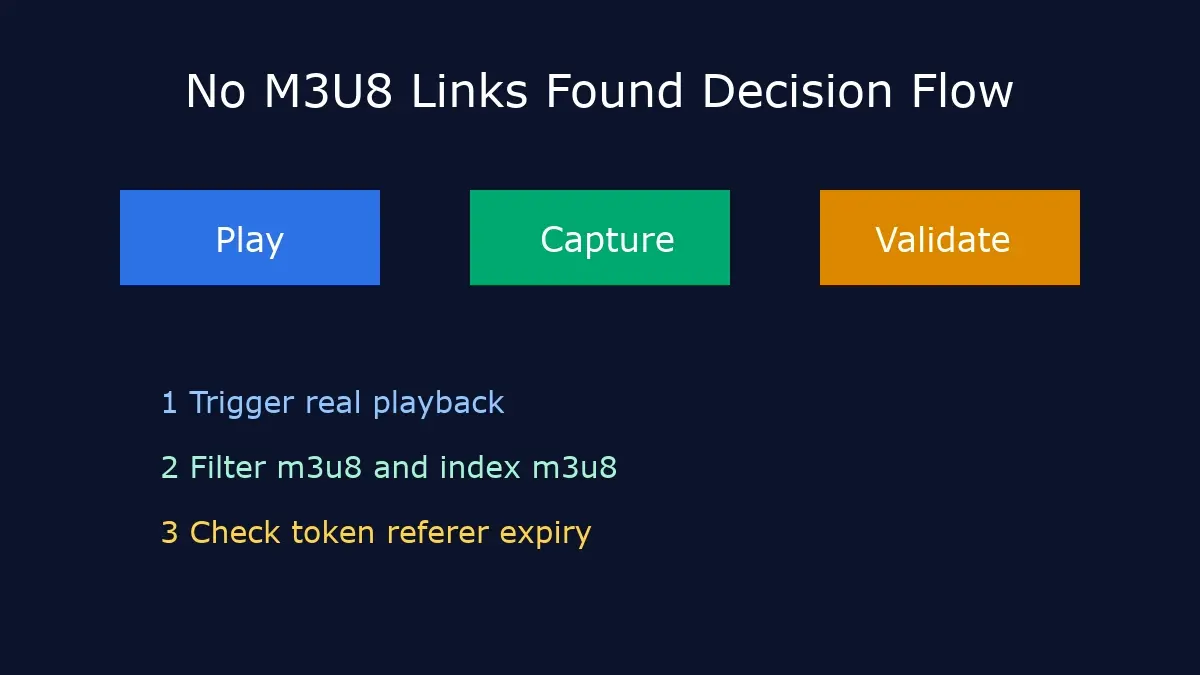
先选路径:不同场景的修复优先级
| 你当前情况 | 首选动作 | 难度 | 成功率 | 下一步 |
|---|---|---|---|---|
| 页面能播,但抓不到链接 | 重放视频并重新抓包 | 低 | 高 | 检查过滤关键字 |
| 偶尔能抓到,稍后就失效 | 校验 token 时效与 Referer | 中 | 中高 | 缩短“复制到下载”的时间间隔 |
| 抓到了但下载 403/404 | 刷新源页面并重提取链接 | 中 | 中 | 切到命令行验证请求头 |
| 受 DRM 保护内容 | 停止抓取,走官方授权渠道 | 不适用 | 不适用 | 使用平台离线功能 |
6 步修复流程(按顺序执行)
步骤 1:确认真实播放请求已触发 Easy
先点击播放并等待 3-5 秒,再打开网络面板抓取请求。很多用户是在“页面刚加载”就开始搜链接,结果自然为空。
成功信号: 网络请求明显增加,出现 `playlist`、`index.m3u8` 或分片请求。
失败信号: 网络面板只有静态资源(CSS/JS),没有媒体请求。
步骤 2:用正确关键字过滤请求 Easy
建议依次试 `m3u8`、`index.m3u8`、`playlist`、`hls`。不要只搜一个词,也不要完全不筛选。
成功信号: 能定位到包含 `EXTM3U` 的文本响应。
失败信号: 只看到 MP4 直链,没有任何播放列表响应。
步骤 3:检查链接是否过期(token/referer) Medium
很多链接有短时效签名。你复制后等待太久,再用下载器就会出现 403 或 no links found 的连锁问题。
成功信号: 刷新页面后重新复制,短时间内可稳定解析。
失败信号: 每次都在 1-2 分钟后失效,且返回鉴权错误。
步骤 4:区分 MP4 直链和 M3U8 链路 Medium
有些站点会直接下发 MP4,不会提供 m3u8。此时继续找 m3u8 没意义,应直接走 MP4 下载流程。
成功信号: 你能明确确认媒体分发类型(MP4 直出 or HLS)。
失败信号: 在 MP4 页面持续寻找不存在的 m3u8。
步骤 5:验证播放器是否为 DRM 受保护 Advanced
如果是 DRM 流,通用提取/合并流程通常不可行。请转回平台授权功能,避免无效尝试。
成功信号: 及时识别受保护场景并切换方案。
失败信号: 长时间重复测试,始终无法获取可用播放列表。
步骤 6:用工具做最终解析验证 Easy
将最新抓到的链接粘贴到 M3U8 Converter,先验证可解析性,再决定是否进阶到 FFmpeg 自动化。
成功信号: 解析通过并进入分片下载阶段。
失败信号: 仍提示无链接或解析失败,回到步骤 1-3 复盘。
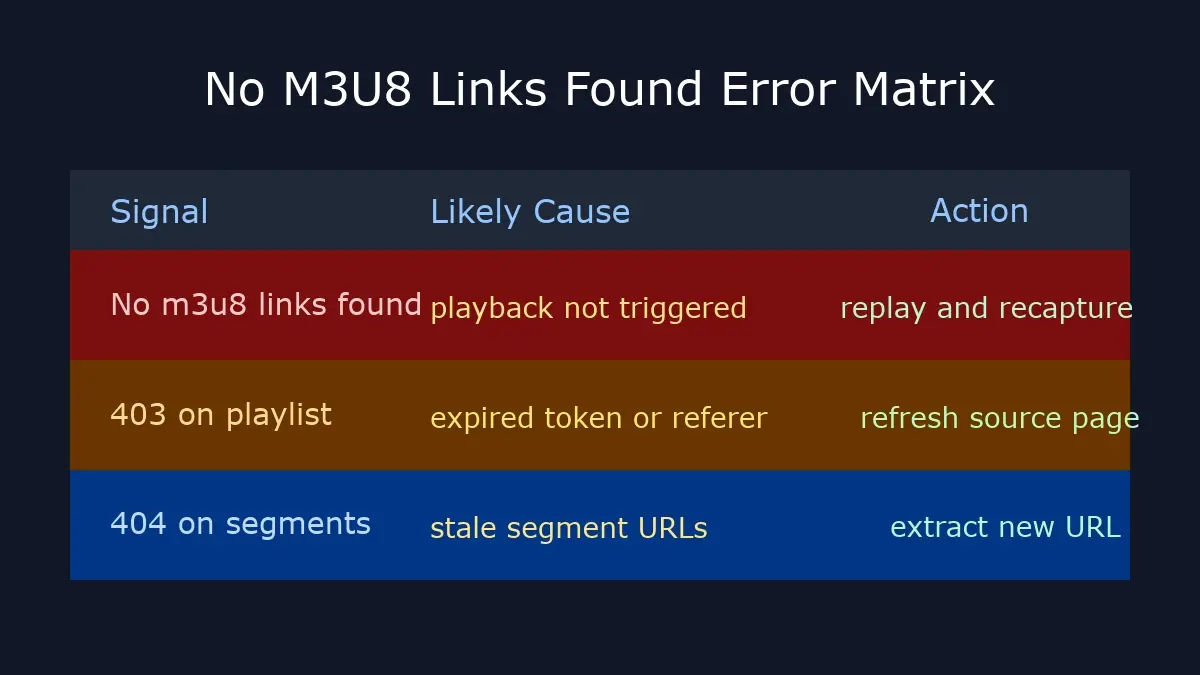
独特价值块:No M3U8 Links Found 错误矩阵
下面这张矩阵按“信号 -> 原因 -> 优先动作”组织,直接对应排查顺序。
| 报错信号 | 最可能原因 | 优先动作 |
|---|---|---|
| No M3U8 links found | 未触发播放请求,或过滤条件不准确 | 播放后重抓,关键词改为 `m3u8` + `index.m3u8` |
| 403 Forbidden | token 过期、Referer/Cookie 不匹配 | 刷新源页面,立即复制并使用新链接 |
| 404 Not Found | 分片地址过时或版本切换 | 重新提取最新 playlist,不复用旧地址 |
| 仅返回 MP4 请求 | 站点未使用 HLS 分发 | 改走 MP4 流程,不再强求 m3u8 提取 |
执行前检查清单
- 是否确认视频确实在播放,而不是静态封面。
- 是否使用了多组过滤关键字,而非单一词。
- 链接复制后是否在短时间内完成解析。
- 是否混淆了 MP4 直链和 HLS 播放列表。
- 是否误把 DRM 受保护内容当作普通 HLS 处理。
关联教程
- 浏览器提取 M3U8 链接:5 种方法:系统讲解抓包与提取方法。
- Online M3U8 Downloader 实战指南:在线下载的错误矩阵与流程化执行。
- M3U8 下载错误修复:覆盖超时、连接失败、403 等广义问题。
外部权威参考
- Chrome DevTools Network Docs:网络请求抓取与过滤的官方说明。
- Apple HLS Documentation:HLS/M3U8 官方规范入口。
FAQ(基于真实查询)
1) “no m3u8 links have been found on this site” 一定是网站屏蔽吗?
不一定。多数情况是抓取时机或过滤条件问题,先按本文 1-3 步检查,再判断是否存在权限限制。
2) 为什么我昨天能抓到,今天就不行?
常见原因是 token 时效缩短、请求头策略变化或链接缓存过期。重放后抓取新链接通常能恢复。
3) 没有 m3u8 但有 MP4 请求,还需要继续抓吗?
一般不需要。如果站点直接分发 MP4,直接按 MP4 流程处理更高效。
4) 在线工具和 FFmpeg 该选哪个?
先在线工具快速验证可行性;需要批量、重试和自动化时再迁移到 FFmpeg。
When you see "No M3U8 links have been found on this site", do not brute-force retries. In most cases, the video exists but capture timing, filters, auth state, or URL freshness is wrong. This guide gives you a six-step recovery path with clear success/failure signals so you can decide quickly whether to continue, switch method, or stop.
Route First: Recovery Priority by Scenario
| Your Situation | First Action | Difficulty | Success Rate | Next Move |
|---|---|---|---|---|
| Player works but no link appears | Replay and re-capture network requests | Low | High | Tune capture filters |
| Link appears briefly then fails | Check token lifetime and referer state | Medium | Medium-High | Reduce delay between copy and parse |
| URL found but 403/404 on download | Refresh source page and re-extract | Medium | Medium | Validate request headers with CLI |
| DRM-protected stream | Stop extraction and use authorized path | N/A | N/A | Use official offline workflow |
Six-Step Recovery Workflow
Step 1: Trigger Real Playback Request Easy
Start playback and wait 3-5 seconds before capture. Many failures happen because users search requests before the media pipeline is active.
Success signal: request volume increases and media-like endpoints appear.
Failure signal: only static assets are visible in network logs.
Step 2: Apply Correct Filter Keywords Easy
Use `m3u8`, `index.m3u8`, `playlist`, and `hls` iteratively. A single keyword is often too narrow.
Success signal: at least one response contains `EXTM3U` playlist content.
Failure signal: only MP4 responses appear, no playlist endpoint at all.
Step 3: Verify URL Freshness (Token/Referer) Medium
Signed playlist URLs can expire quickly. If you wait too long after copying, parse/download may fail with auth errors.
Success signal: fresh URL resolves reliably right after page refresh.
Failure signal: consistent expiry within a short time window.
Step 4: Distinguish MP4 Direct Delivery vs HLS Medium
Some sites deliver plain MP4 for your device profile. In that case, searching M3U8 is the wrong objective.
Success signal: you clearly identify distribution type before troubleshooting deeper.
Failure signal: repeated M3U8 search attempts on MP4-only delivery pages.
Step 5: Detect DRM-Protected Playback Advanced
Generic extraction/merge workflows usually do not apply to DRM streams. Move to authorized platform workflow.
Success signal: early recognition of protected content and route switch.
Failure signal: prolonged retries with no valid playlist output.
Step 6: Run Final Parse Validation Easy
Paste the latest captured URL into M3U8 Converter to validate parseability before full download.
Success signal: parser moves into segment download stage.
Failure signal: parse fails again; revisit steps 1-3 immediately.
Unique Block: No M3U8 Links Found Error Matrix
This matrix maps signal to likely cause and priority action so you can debug in the right order.
| Error Signal | Most Likely Cause | Priority Action |
|---|---|---|
| No M3U8 links found | Playback request not triggered or filter mismatch | Replay and recapture using `m3u8` plus `index.m3u8` |
| 403 Forbidden | Expired token or invalid referer/cookie state | Refresh source page and reuse a fresh URL quickly |
| 404 Not Found | Stale segment paths or playlist revision changed | Re-extract current playlist URL and avoid old cache |
| Only MP4 requests | No HLS chain provided by source delivery | Use MP4 workflow instead of forced M3U8 extraction |
Preflight Checklist
- Video is truly playing, not paused on poster frame.
- Multiple filter patterns were tested, not one keyword only.
- Captured URL was parsed immediately before expiry.
- MP4 direct delivery was not misread as HLS failure.
- DRM-protected content is routed to official channels.
Related Guides
- 5 ways to extract M3U8 links in browser: practical capture methods and tools.
- Online M3U8 Downloader guide: scenario-based execution and troubleshooting matrix.
- M3U8 download error fixes: extended coverage for timeout and connectivity failures.
Authoritative References
- Chrome DevTools Network Docs: official capture and filter reference.
- Apple HLS Documentation: official HLS and M3U8 specification entry.
Validate First, Download Next
Paste your latest captured URL into the tool to confirm parse success before running full conversion.
Open M3U8 ConverterFAQ (Query-driven)
1) Does "no m3u8 links have been found on this site" always mean blocking?
No. It is often timing/filter quality first, then auth state. Validate steps 1-3 before concluding hard blocking.
2) Why did it work yesterday but fail today?
Typical reasons are token expiry policy changes, different delivery profile, or stale cached URLs. Fresh capture usually restores access.
3) If only MP4 requests appear, should I keep searching for m3u8?
Usually no. Handle it as direct MP4 delivery and avoid forcing an HLS-only workflow.
4) Should I use browser tools or FFmpeg for this issue?
Use browser tools first for quick diagnosis. Move to FFmpeg when you need repeatability, retry control, or batch automation.